If your iPhone has been buzzing nonstop with calls from strange numbers or texts promising you a “free prize,” you are far from alone. Spam calls and texts have become one of the most annoying parts of owning a smartphone. Scammers and robocallers are getting smarter, using local area codes to trick you into picking up, or sending links that look almost real. The good news is that your iPhone actually has some powerful built-in tools to help you fight back, and there are also some excellent apps that can take things even further. You do not need to be a tech expert to set these up. In this guide, we will walk you through simple, practical steps to silence unknown callers, block spam texts, and take back control of your phone, all explained in plain, easy-to-follow language.
Turn On Silence Unknown Callers
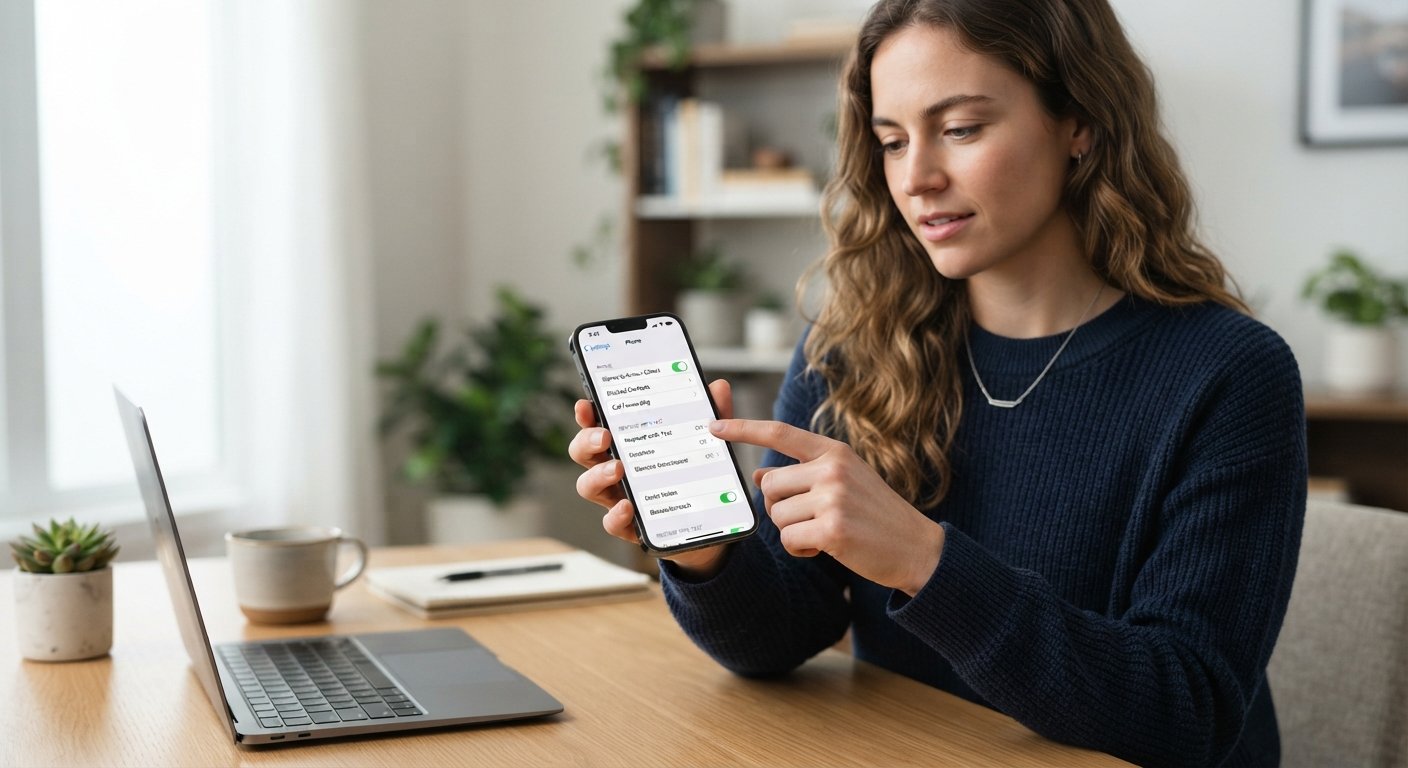
One of the easiest ways to stop spam calls on your iPhone is a built-in feature called Silence Unknown Callers. This feature automatically sends calls from numbers not in your contacts straight to voicemail, without your phone even ringing. To turn it on, go to Settings, then tap Phone, and select Silence Unknown Callers. Simply switch it on. From that point forward, only people already saved in your contacts, along with numbers you have recently called or texted, will be able to reach you directly. Everyone else will be silently redirected to voicemail, and you can still check those messages later if something seems important. This feature is especially helpful if you get frequent spam calls from unfamiliar numbers, though keep in mind it may also silence legitimate calls from new contacts, like a delivery driver or a doctor’s office calling for the first time.
Block Specific Numbers Manually
If a particular number keeps calling or texting you again and again, you can block it directly on your iPhone in just a few taps. Open your Phone app, go to Recents, and find the number that has been bothering you. Tap the small “i” information icon next to it, scroll down, and select Block this Caller. You can do the same thing from a text message by opening the conversation, tapping the contact name at the top, and choosing the same block option. Once blocked, that number will no longer be able to call or text you, and you will not see any notifications from them. This method works great for repeat offenders, but keep in mind that scammers often use different numbers each time, so blocking alone will not stop every spam call. It is still a useful first line of defense worth using regularly.
Report Spam Texts Instead of Just Deleting Them
When you receive a suspicious text message, it can be tempting to simply delete it and move on. However, reporting it actually helps Apple and mobile carriers identify and block spam patterns for everyone. On an iPhone, if a message comes from an unknown sender, you will often see an option right below the message that says Report Junk. Tapping this sends the message details to Apple without giving the scammer any confirmation that your number is active. If you do not see this option, you can also forward suspicious texts to 7726 (which spells “SPAM” on your keypad), a service supported by most major carriers in the United States. This small habit takes only a few seconds but plays an important role in reducing spam messages over time, both for you and for other users receiving similar scam attempts.
Use Your Carrier’s Free Spam Protection Tools
Did you know that your mobile carrier likely offers free tools to help block spam calls? Companies like AT&T, Verizon, and T-Mobile all provide built-in spam detection services, and many will automatically label suspicious calls as “Spam Likely” right on your screen before you even answer. To make sure this feature is active, check your carrier’s app or visit their website, since some services require you to opt in manually. Many carriers also offer premium versions of these tools with extra features like caller ID and automatic call blocking, sometimes for a small monthly fee. It is worth spending five minutes checking your account settings, since this protection often works quietly in the background without requiring any extra effort from you once it is turned on, and it works alongside the built-in iPhone features rather than replacing them.
Try a Trusted Third-Party Spam-Blocking App
If built-in features are not enough, downloading a dedicated spam-blocking app can make a real difference. Popular apps like Robokiller, Hiya, and Nomorobo use large databases of known scam numbers to automatically identify and block calls before they ever reach you. Many of these apps also work for text messages, filtering out suspicious links and known scam senders. After downloading an app from the App Store, you will usually need to grant it permission to access your call and message list, which allows it to work properly. Most of these apps offer a free basic version, with paid plans unlocking more advanced features like reverse phone lookup or personalized block lists. Reading a few reviews before choosing one can help you find the best fit for your needs, since some apps focus more heavily on international numbers while others specialize in local scam detection.
Be Careful About Sharing Your Phone Number Online
Sometimes the best defense against spam is prevention. Scammers and marketing companies often collect phone numbers from online forms, contests, or social media profiles, so being mindful of where you share your number can significantly reduce future spam. Before entering your phone number on a website, ask yourself if it is truly necessary, and consider using a secondary number or email address for online sign-ups when possible. Registering your number with the National Do Not Call Registry, available for free at donotcall.gov, can also help reduce legitimate telemarketing calls, though it unfortunately will not stop illegal scam calls. Reviewing app permissions on your iPhone regularly is another good habit, since some apps may share your contact information with third parties without you realizing it. A little extra caution today can save you from a lot of annoying calls down the road.
Dealing with spam calls and texts can feel frustrating, but your iPhone gives you more control than you might realize. By combining built-in features like Silence Unknown Callers with manual blocking, carrier tools, and trusted third-party apps, you can dramatically reduce the number of unwanted interruptions in your day. Remember that no single method will stop one hundred percent of spam, since scammers constantly change their tactics, but layering these strategies together creates a strong defense. Take a few minutes today to go through these steps, and you will likely notice a real difference within days. Staying a little proactive now means fewer annoying interruptions later, and more peace of mind every time your phone rings.
Frequently Asked Questions
Will blocking a spam number stop the calls forever?
Not always. Scammers frequently use new, random numbers, so while blocking helps with repeat offenders, you may still receive calls from different numbers. Combining blocking with Silence Unknown Callers and a spam-blocking app gives you much stronger protection overall.
Is Silence Unknown Callers safe to use?
Yes, it is completely safe, but keep in mind it will also silence calls from new legitimate contacts, like a new doctor’s office or delivery service. Check your voicemail regularly if you turn this feature on, so you do not miss anything important.
Do spam-blocking apps cost money?
Many popular apps like Hiya and Nomorobo offer free basic versions that work well for most people. Paid versions typically add extra features like caller ID lookup or more advanced text filtering, but they are usually not required for basic protection.
Why do I keep getting spam texts even after blocking numbers?
Scammers often use different sending numbers or short codes for each message, making blocking less effective on its own. Reporting texts using the “Report Junk” option or forwarding them to 7726 helps carriers identify and stop these patterns more effectively over time.
Does registering with the Do Not Call Registry stop scam calls?
It helps reduce calls from legitimate telemarketers who follow the law, but it will not stop illegal scam calls, since scammers ignore these regulations entirely. It is still worth doing, but should be combined with the other methods mentioned above for best results.