
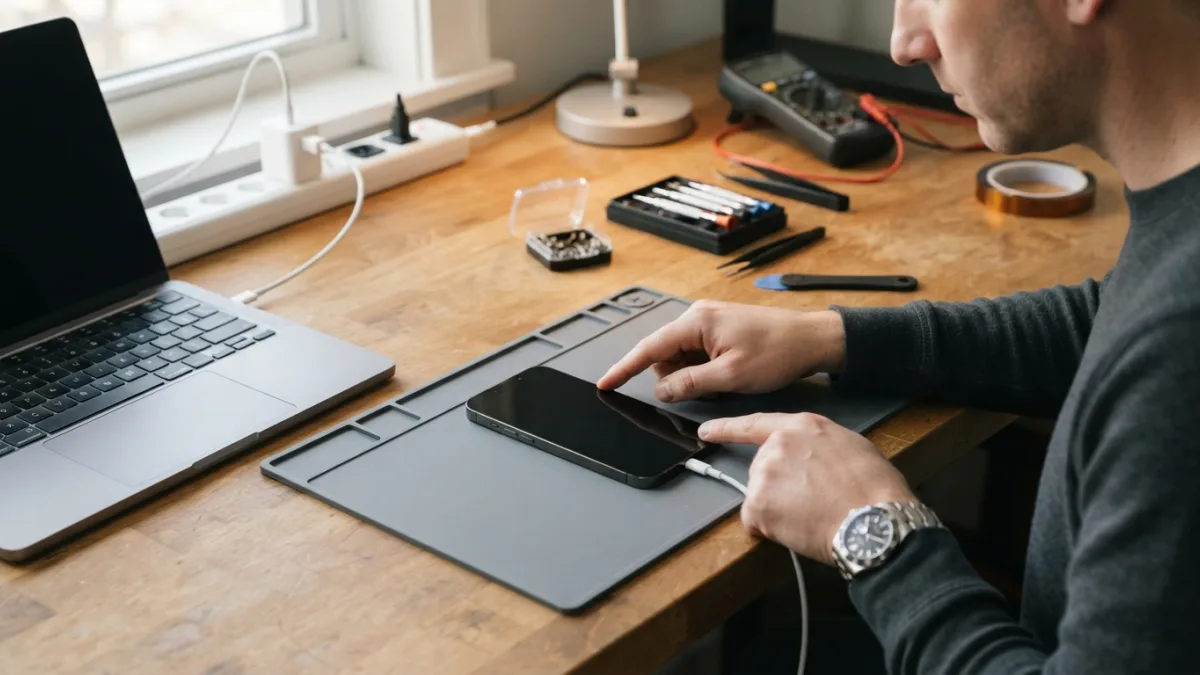
How to Fix an iPhone That Won’t Turn On
Iphone wont turn on trips up a lot of people, but it does not have to be complicated once you know the right steps.
You press the power button. Nothing happens. You try again, and your screen stays completely black. If your iPhone won’t turn on, that sinking feeling is completely normal, but before you panic or start googling repair shops, take a breath. Most of the time, this problem has a simple explanation and an even simpler fix. Whether you’re dealing with a dead battery, a software freeze, or something more serious, there’s a clear path to figuring out what’s wrong and getting your phone back to life. This guide walks you through every step, starting with the easiest solutions and working toward the more advanced ones. If you want to dig deeper, our guide on iPhone Battery Dying Too Fast? Try These Simple Fixes covers this in more detail. This is a common part of dealing with iphone wont turn on, and it is worth keeping in mind.
Why Does an iPhone Suddenly Stop Turning On?: Iphone wont turn on
There are several common reasons an iPhone stops responding. Sometimes it’s as basic as a completely drained battery that needs more charging time than usual. Other times, a software glitch causes the phone to freeze, leaving the screen dark even though the device is technically still running internally. Physical damage, like a cracked screen or water exposure, can also disrupt normal function. Occasionally, a recent iOS update installs incorrectly and leaves the phone stuck mid-process. Knowing the possible causes helps you approach the problem methodically instead of guessing. Before assuming the worst, it’s smart to rule out the easy explanations first, since a huge percentage of “dead” iPhones are actually just dealing with a temporary hiccup rather than permanent hardware failure. Many people run into this exact issue with iphone wont turn on at some point.
Start With the Charger and Cable
It sounds almost too simple, but a dead battery is the number one reason an iPhone won’t turn on. Plug your phone into a wall outlet using a cable and adapter you know works, rather than relying on a laptop USB port, which often charges more slowly. Leave it connected for at least fifteen to thirty minutes before trying anything else. If you see the Apple logo appear or a battery icon with a lightning bolt, you’re already on the right track. If nothing happens at all, try a different cable and a different power adapter, since damaged charging accessories are surprisingly common. Also check the charging port itself for lint, dust, or debris, since a blocked port can prevent the phone from receiving power even when everything else works perfectly. Keeping iphone wont turn on in mind here will save you time later on.
Signs Your iPhone Is Not Charging Properly
If your iPhone is not charging even after trying multiple cables and outlets, there are a few telltale signs worth checking. Look closely at the charging port with a flashlight for any visible lint or corrosion. Feel whether the cable connector fits snugly or feels loose when inserted. Notice if the phone gets warm while plugged in, which usually indicates it’s receiving power even if the screen stays dark. You might also test the same cable on another device to confirm the cable itself isn’t the culprit. These small checks take only a few minutes but can save you an unnecessary trip to a repair shop when the fix is something as minor as a dirty port or a worn-out cable. This connects closely with another common issue — see How to Choose Between iPhone and Android in 2026 for more on that. This detail matters more than it seems once iphone wont turn on comes up again.
Try a Force Restart
If charging doesn’t solve the problem, the next step is to force restart iPhone models, which resets the software without erasing any data. The exact process depends on your model. For iPhone 8 and later, including the iPhone X, 11, 12, 13, 14, and 15 series, quickly press and release the volume up button, then quickly press and release the volume down button, and finally press and hold the side button until the Apple logo appears. For iPhone 7 and 7 Plus, hold the volume down button and the side button together. For iPhone 6s and earlier models with a home button, hold the home button and the top or side button simultaneously. Keep holding through the process, since it can take up to twenty or thirty seconds for the logo to show up. It is one of those small things that makes iphone wont turn on easier to manage overall.
Dealing With an iPhone Stuck on the Apple Logo
Sometimes a force restart brings the screen back to life, but the phone gets stuck on Apple logo without fully booting into the home screen. This usually points to a software issue rather than a hardware failure, and it’s more common after a failed update or a corrupted file. If this happens, try connecting your iPhone to a computer with iTunes or Finder installed. Put the device into recovery mode by following the same button sequence as a force restart, but keep holding the final button until you see the connect-to-computer screen instead of releasing it at the Apple logo. From there, your computer should recognize the phone and offer an option to update or restore it, which often clears whatever was causing the freeze. This is a common part of dealing with iphone wont turn on, and it is worth keeping in mind.
What to Do About an iPhone Black Screen
An iPhone black screen that shows absolutely no response can be more worrying than one that just gets stuck loading. First, check whether the screen is actually black or just extremely dim, since a display setting or brightness malfunction can sometimes look identical to a dead device from a few feet away. Try shining a bright flashlight directly at the screen at an angle to see if there’s any faint image underneath. Next, connect the phone to power and attempt a force restart even if the screen looks completely unresponsive, since the software might still be working behind a broken display. If you recently dropped the phone or exposed it to water, a black screen combined with visible cracks or moisture in the camera lens is a stronger sign of hardware damage that needs professional attention. You might also find our article on How to Fix an Android Phone That Won't Turn On helpful here. Many people run into this exact issue with iphone wont turn on at some point.
Check for Battery and Hardware Problems
If none of the software fixes work, you might be facing genuine iphone battery issues or another hardware fault. Batteries degrade over time, and after a couple of years of daily use, some phones simply can’t hold enough charge to power on reliably, even when plugged in. Signs of battery trouble include the phone randomly shutting off at higher percentages, taking much longer to charge than before, or feeling unusually warm during use. Water damage is another major cause, and even a small amount of moisture inside the charging port or headphone jack can prevent the phone from powering on until it fully dries out or gets professional cleaning. Physical drops can also loosen internal connectors, which sometimes causes intermittent power issues that come and go unpredictably. Keeping iphone wont turn on in mind here will save you time later on.
Using DFU Mode as a Last Resort
When a standard restore through recovery mode doesn’t fix things, DFU mode, short for Device Firmware Update, offers a deeper level of software reset. This mode loads the absolute minimum needed to communicate with a computer, bypassing even the boot loader that recovery mode relies on. To enter DFU mode, you’ll typically connect your iPhone to a computer, then follow a precise sequence of button presses that varies by model, which Apple’s support site lists in detail for each device generation. Because the screen stays completely black throughout the process, it’s easy to get the timing wrong on your first attempt, so don’t be discouraged if you need a few tries. Once successful, your computer will detect the phone and let you restore it, often resolving issues that other methods couldn’t touch. This detail matters more than it seems once iphone wont turn on comes up again.
When It’s Time to Contact Apple Support
If you’ve tried charging, force restarting, recovery mode, and DFU mode without success, it’s reasonable to conclude the problem is hardware-related and needs professional diagnosis. Apple Support offers online chat, phone assistance, and in-person appointments at Apple Stores or authorized service providers who can run diagnostic tests unavailable to regular users. Bring your proof of purchase if you have it, and mention your device’s warranty or AppleCare status, since that affects repair cost significantly. Third-party repair shops can also handle many of these issues, often at a lower price, though it’s worth checking reviews and asking whether they use genuine parts, since some replacement components can affect future software updates or battery health reporting. For a related walkthrough, check out How to Fix an Android Phone That Won't Turn On. It is one of those small things that makes iphone wont turn on easier to manage overall.
Simple Habits That Prevent Future Problems
Once your phone is working again, a few habits can lower the odds of facing this issue twice. Keep your software updated regularly, since outdated iOS versions are more prone to glitches and freezes. Avoid letting your battery drain to zero too often, and try to keep it between twenty and eighty percent when possible for better long-term health. Use a case and screen protector to reduce damage from everyday drops, and keep your phone away from water and extreme temperatures whenever you can. Restarting your iPhone every week or two, even when nothing seems wrong, helps clear background processes that can otherwise build up and eventually cause the kind of freeze that leaves you staring at an unresponsive screen. This is a common part of dealing with iphone wont turn on, and it is worth keeping in mind.
Frequently Asked Questions
Why is my iPhone won’t turn on even though it’s plugged in?
This usually means the charging cable, adapter, or port isn’t making a proper connection, or the battery is too drained to show immediate signs of charging. Try a different cable and outlet, check the port for debris, and give it at least thirty minutes before testing again. Many people run into this exact issue with iphone wont turn on at some point.
How long should I charge a dead iPhone before trying to turn it on?
Give it at least fifteen to thirty minutes on a wall charger before attempting a restart. Severely drained batteries sometimes need up to an hour before the phone responds at all. Keeping iphone wont turn on in mind here will save you time later on.
Does a force restart delete my data?
No, a force restart simply reboots the software and doesn’t erase photos, apps, or settings. It’s safe to try whenever your phone freezes or becomes unresponsive. This detail matters more than it seems once iphone wont turn on comes up again.
What does it mean if my iPhone is stuck on the Apple logo?
It typically indicates a software problem, often from a failed update, rather than permanent hardware damage. Connecting to a computer and using recovery mode usually resolves it. It is one of those small things that makes iphone wont turn on easier to manage overall.
Should I take my iPhone to a repair shop if nothing works?
Yes, if charging, force restarting, and recovery mode all fail, professional diagnosis is the best next step to identify whether it’s a battery, screen, or internal component issue. This is a common part of dealing with iphone wont turn on, and it is worth keeping in mind.




3 Comments
Comments are closed.