How to Fix an Android Phone That Won’t Turn On
You press the power button, and nothing happens. No vibration, no logo, no sound — just a blank, dark screen staring back at you. If your phone wont turn on, don’t panic and don’t assume the worst just yet. In most cases, a dead-looking Android phone can be brought back to life with a few simple troubleshooting steps, and you won’t need to visit a repair shop or buy a new device right away. This guide walks you through the most common causes and practical fixes, starting with the easiest solutions first.
Why Your Phone Wont Turn On
Before jumping into fixes, it helps to understand what’s actually going wrong. A phone that refuses to power up usually falls into one of a few categories: a drained or faulty battery, a software crash, a hardware malfunction, or a charging problem that’s been building up quietly for weeks. Sometimes the screen itself has failed while the rest of the phone still runs in the background, which can trick you into thinking the device is completely dead. Other times, a botched software update or a corrupted file causes the system to freeze during startup. Identifying which category your problem falls into will save you time, so work through the checks below in order rather than jumping straight to drastic measures like a factory reset. If you want to dig deeper, our guide on How to Fix an Android Phone That Won't Turn On covers this in more detail. This is a common part of dealing with phone wont turn on, and it is worth keeping in mind.
Check the Basics First
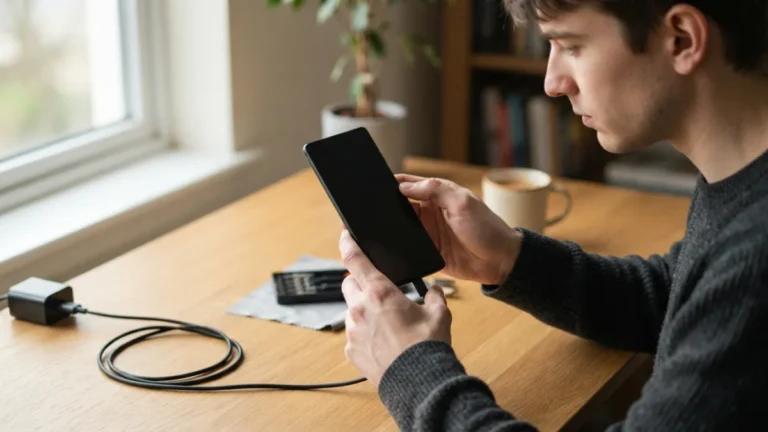
It sounds obvious, but the most common reason a phone wont turn on is simply a dead battery combined with a charging issue nobody noticed. Plug your phone into a wall outlet, not a laptop or car USB port, since those often provide weaker power. Leave it charging for at least 15 to 20 minutes before trying to turn it on again, because a battery that’s been fully drained sometimes needs a few minutes before it can even show a charging icon. While you wait, inspect the charging cable and adapter for visible damage, frayed wires, or bent connectors. Try a different cable and charger if you have one available, since a faulty accessory is a surprisingly frequent culprit behind what looks like a dead device. Many people run into this exact issue with phone wont turn on at some point.
Inspect the Charging Port
Dust, lint, and debris build up inside charging ports more than most people realize, especially if you carry your phone in a pocket or bag. This buildup can block the connection between the cable and the port, which means your phone won’t charge even though the cable and adapter are working fine. Grab a flashlight and take a close look inside the port for any visible obstruction. If you spot debris, gently clean it out using a wooden toothpick or a can of compressed air — avoid metal objects, which can damage the internal pins. After cleaning, reconnect the charger and check whether a charging indicator or vibration appears. If nothing changes after a thorough cleaning, the problem likely lies elsewhere, either in the battery or the charging circuitry itself. Keeping phone wont turn on in mind here will save you time later on.
Try a Force Restart
If charging doesn’t solve the issue, the next step is a force restart, sometimes called a hard reset. This is different from a factory reset and won’t erase any of your data, so there’s no need to worry about losing photos or messages. On most modern Android phones, you do this by holding the power button and the volume down button simultaneously for 10 to 15 seconds. Older devices with removable batteries might require you to take the battery out for 30 seconds, then reinsert it and power the phone back on. A force restart clears temporary software glitches that can freeze the system without touching your files. Many users find their phone wont turn on simply because of a minor software hang, and this quick fix resolves it in seconds. This detail matters more than it seems once phone wont turn on comes up again.
Dealing With an Android Black Screen Fix
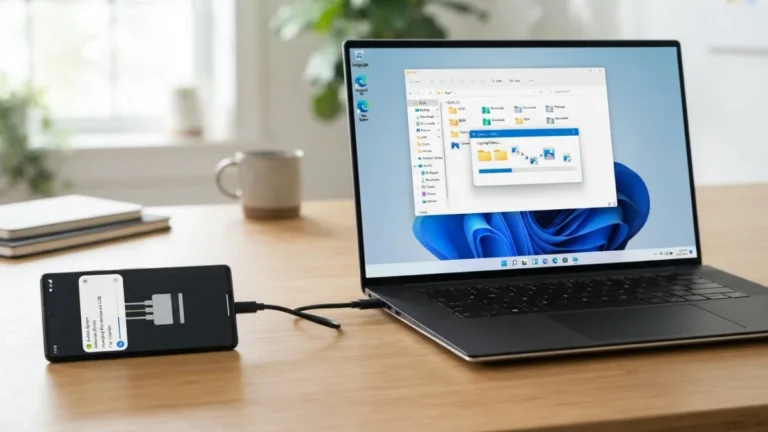
Sometimes a phone actually powers on internally, but the screen stays completely black, which understandably looks like a total shutdown. This is a common android black screen fix scenario, and it’s worth ruling out before assuming your device is truly dead. Plug the phone in and wait a few minutes, then try pressing the power button while watching and listening closely for any vibration, notification sound, or faint light. You can also connect the phone to a computer via USB to see if it registers as a connected device, even without a visible screen. If you hear a startup chime or feel a vibration but see no picture, the issue is likely the display or its connector rather than the battery or motherboard, which changes the repair approach significantly. This connects closely with another common issue — see How to Turn Off Autocorrect Mistakes on Your Android Phone for more on that. It is one of those small things that makes phone wont turn on easier to manage overall.
Understanding an Android Boot Loop
An android boot loop happens when your phone’s logo appears, the screen goes dark, and the logo appears again in an endless cycle without ever fully starting up. This is different from a phone that won’t turn on at all, but it can feel just as frustrating since the device seems stuck between on and off. Boot loops are often caused by a corrupted app update, insufficient storage space, or a failed system update that didn’t install correctly. Booting into safe mode can help you determine whether a third-party app is causing the loop, since safe mode only loads essential system software. If your phone boots normally in safe mode, an app you recently installed is probably the culprit, and uninstalling it should resolve the cycle. This is a common part of dealing with phone wont turn on, and it is worth keeping in mind.
How to Boot Into Safe Mode
Getting into safe mode varies slightly by phone brand, but the general process is similar across most Android devices. Try these steps: Many people run into this exact issue with phone wont turn on at some point.
- Press and hold the power button until the power menu appears on screen.
- Press and hold the “Power Off” option until a prompt asks if you want to reboot into safe mode.
- Tap “OK” and wait for the phone to restart with “Safe Mode” displayed in the corner.
- If the power menu doesn’t appear because the screen is unresponsive, try holding the power and volume down buttons together during startup instead.
Once in safe mode, test whether the crashing or freezing stops. If it does, review recently installed apps and remove anything suspicious before restarting normally. Keeping phone wont turn on in mind here will save you time later on.
When a Hard Reset Android Becomes Necessary
If nothing else has worked, a hard reset android procedure, also known as a factory reset, might be your last resort before seeking professional help. Unlike a force restart, this wipes all data from the device and returns it to its original factory settings, so only attempt it if you’re prepared to lose unsaved information. Most phones allow you to trigger this through recovery mode, accessed by holding a specific combination of the power and volume buttons while the device is off. From the recovery menu, use the volume buttons to navigate and the power button to select “wipe data/factory reset.” This process can fix persistent software corruption that safe mode and restarts couldn’t touch, and it often revives a phone stuck in a severe boot loop or freeze. You might also find our article on How to Set Up a New Android Phone Step by Step helpful here. This detail matters more than it seems once phone wont turn on comes up again.
Hardware Problems and Battery Health
Sometimes the issue isn’t software at all, and no amount of restarting will help. Phones that have been dropped, exposed to water, or used for several years often develop hardware faults that prevent them from powering on. A swollen battery, a damaged charging port soldered to the motherboard, or corrosion from moisture exposure are common physical causes. If your phone has a removable back panel, check whether the battery looks puffy or misshapen, which is a clear sign it needs replacing immediately for safety reasons. For phones with sealed batteries, this kind of inspection isn’t possible without professional tools, so unusual heat, a burning smell, or visible screen damage should prompt you to stop troubleshooting and consult a technician right away. It is one of those small things that makes phone wont turn on easier to manage overall.
Signs You Need a Dead Android Phone Fix From a Professional
There comes a point where DIY troubleshooting reaches its limit, and pushing further risks causing more damage. If you’ve tried charging with multiple cables, force restarting, booting into safe mode, and even a factory reset without success, the problem is almost certainly hardware-related. Water damage, a cracked motherboard, or a failed charging IC chip all require specialized repair equipment and expertise that go beyond what most people can do at home. A reputable repair shop can diagnose the exact fault using diagnostic tools that test the battery, screen, and internal circuitry separately. Before handing over your phone, ask whether they offer a free diagnostic assessment, since many shops will inspect the device before charging you for repairs, which helps you avoid paying for guesswork. This is a common part of dealing with phone wont turn on, and it is worth keeping in mind.
Protecting Your Data Before and After Repairs
Whether your phone eventually turns back on or needs professional repair, protecting your data should be a priority throughout this process. If you use cloud backup services like Google Photos, Google Drive, or a manufacturer’s backup tool, check when your last automatic backup occurred, since this tells you how much recent data might be at risk. Once your phone turns on again, even briefly, back up everything immediately before attempting further troubleshooting steps like a factory reset. If a repair shop needs to replace internal components, ask them directly whether the repair process could result in data loss, and request that they preserve your storage chip whenever technically possible. Taking a few extra minutes here can save you from losing years of photos and messages. Many people run into this exact issue with phone wont turn on at some point.
Preventing Future Power Problems
Once your phone is working again, a few simple habits can reduce the chances of facing this problem twice. Avoid letting your battery drain to zero repeatedly, since deep discharges stress battery cells over time and shorten their lifespan. Keep your software updated, but wait a day or two after major updates release, since early bugs sometimes cause the very freezes and boot loops discussed earlier. Clean your charging port every few months, and consider using a phone case that doesn’t trap excess heat during charging. Buy chargers and cables from reputable brands rather than unbranded cheap alternatives, since poor-quality electronics are a leading cause of charging failures. These small precautions won’t guarantee your phone never has issues again, but they meaningfully lower the odds of another sudden shutdown. For a related walkthrough, check out How to Free Up Storage Space on Your Android Phone Fast. Keeping phone wont turn on in mind here will save you time later on.
Frequently Asked Questions
Why does my phone wont turn on even when it’s plugged in?
This usually points to a charging port blocked by debris, a faulty cable or adapter, or a battery that has degraded to the point it can no longer hold a charge. Try a different charger and outlet, and inspect the port for dust before assuming the battery itself has failed. This detail matters more than it seems once phone wont turn on comes up again.
How long should I charge a completely dead Android phone before trying to turn it on?
Give it at least 15 to 30 minutes on a wall charger before attempting to power it on. Severely drained batteries sometimes need this recovery period before the device can display any signs of life, including a charging icon. It is one of those small things that makes phone wont turn on easier to manage overall.
Will a force restart delete my photos and apps?
No, a force restart only clears temporary system processes and doesn’t touch your stored data. This makes it a safe first step to try, unlike a factory reset, which does erase everything on the device. This is a common part of dealing with phone wont turn on, and it is worth keeping in mind.
What’s the difference between a black screen and a phone that’s actually dead?
A black screen phone may still power on internally, producing vibrations, sounds, or a USB connection signal even though the display shows nothing. A truly dead phone shows no response at all, even after extended charging and multiple restart attempts. Many people run into this exact issue with phone wont turn on at some point.
When should I stop troubleshooting and take my phone to a repair shop?
If charging, force restarting, safe mode, and a factory reset all fail to fix the issue, the problem is likely hardware-related and needs professional diagnostic tools. Signs like a burning smell, visible screen cracks, or a swollen battery mean you should stop immediately and seek expert help. Keeping phone wont turn on in mind here will save you time later on.